Baby Of The Month
Baby of the MonthWin Cash Prizes
Contests
Divisions
Resources
How It Works
Leaderboard
Rules
Sign Up FreeLogin
Baby Of The Month
Baby of the MonthWin Cash Prizes
Sign Up
  1. Home
  2. Resources
  3. Contests
  4. Photography Basics
  5. Smartphone Baby Photography
Resources

Entering this month's contest?

If this guide helped you get photo-ready, you can submit your baby for free in the current monthly contest and read the full official rules (eligibility, voting, and prizes) before you enter.

Free baby photo contest entryOfficial contest rules
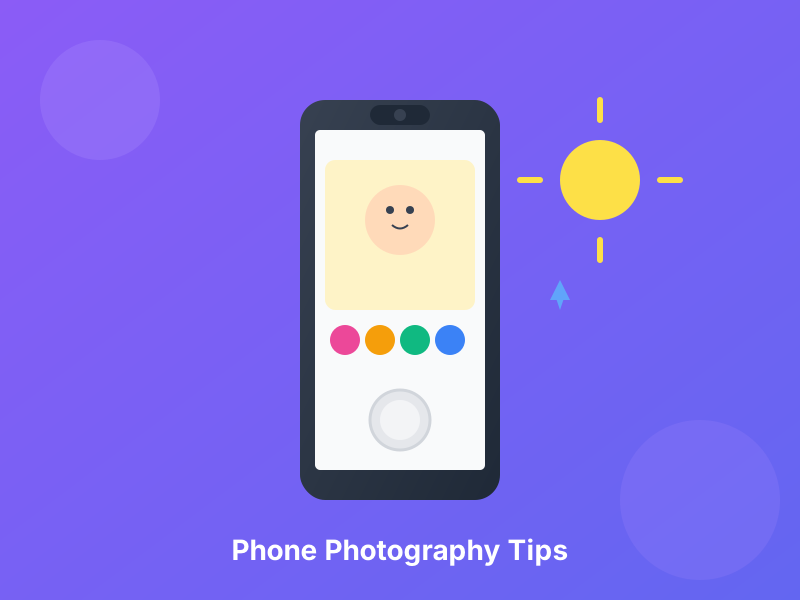
Illustration of taking baby photos with a smartphone

Professional Baby Photos with Just Your Smartphone

You don't need expensive camera equipment - your phone can take contest-winning photos!

Modern smartphones rival professional cameras. With the right techniques, your phone can capture stunning, contest-worthy baby photos.

15 min readUpdated: 2026-08-09T03:22:52.565ZContests & Photography

1Essential Camera Settings

iPhone Camera Settings:

Settings > Camera:

  • β€’βœ… Grid: ON (helps with composition)
  • β€’βœ… Auto HDR: ON (balances light)
  • β€’βœ… Formats: High Efficiency or Most Compatible
  • β€’βœ… Record Video: 1080p or 4K
  • β€’βœ… Smart HDR: ON (iPhone 11+)

In Camera App:

  • β€’Portrait Mode: For background blur
  • β€’Live Photos: OFF (sharper images)
  • β€’Flash: OFF (use natural light!)
  • β€’Night Mode: Auto (low light situations)

Android Camera Settings:

Settings (varies by phone):

  • β€’βœ… Grid Lines: ON
  • β€’βœ… HDR: Auto or ON
  • β€’βœ… Image Quality: Highest
  • β€’βœ… Focus Mode: Continuous AF
  • β€’βœ… Scene Optimizer: ON (Samsung, others)

Pro Mode (If Available):

  • β€’ISO: 100-400 (outdoor), 400-800 (indoor)
  • β€’Shutter: Auto or 1/125+ for movement
  • β€’White Balance: Auto or Daylight

Universal Pro Tips:

  • β€’Clean your lens! (microfiber cloth)
  • β€’Use volume button as shutter (more stable)
  • β€’Lock focus/exposure before shooting
  • β€’Shoot in highest resolution
  • β€’Keep phone updated (camera improvements)

2Smartphone Lighting Mastery

Natural Light is KEY for Smartphones:

Window Light (Indoor):

  • β€’Position baby near large window
  • β€’Side lighting most flattering
  • β€’Diffuse with sheer curtain if too bright
  • β€’Avoid direct harsh sun through window
  • β€’Overcast days = perfect even light

Golden Hour (Outdoor):

  • β€’30 min after sunrise
  • β€’1 hour before sunset
  • β€’Soft, warm, flattering
  • β€’Best time for outdoor baby photos

Shade is Your Friend:

  • β€’Open shade (under tree, porch)
  • β€’Even, soft light
  • β€’No harsh shadows
  • β€’Great for midday shoots

What to AVOID:

  • β€’βŒ Direct overhead sun (harsh shadows)
  • β€’βŒ Flash (looks harsh and unnatural)
  • β€’βŒ Mixed lighting (window + indoor lights)
  • β€’βŒ Backlighting (baby in shadow)
  • β€’βŒ Very dark rooms (grainy photos)

Adjusting Exposure on Phone:

  • β€’Tap on baby's face to focus
  • β€’Slide exposure slider up/down
  • β€’Baby's face should be well-lit
  • β€’Not too bright (blown out)
  • β€’Not too dark (underexposed)

3Composition Rules for Smartphone Photos

Rule of Thirds (Most Important):

  • β€’Enable grid in camera settings
  • β€’Place baby's eyes on top third line
  • β€’Don't center baby perfectly
  • β€’Creates more interesting photo
  • β€’Professional-looking composition

Eye-Level Shooting:

  • β€’Get down to baby's level
  • β€’Don't shoot from standing height
  • β€’Creates connection
  • β€’More engaging photos
  • β€’Lie on floor if needed!

Fill the Frame:

  • β€’Get close to baby
  • β€’Face should be prominent
  • β€’Avoid too much empty space
  • β€’Can crop closer in editing
  • β€’Details matter (eyelashes, hands)

Leading Lines:

  • β€’Use natural lines to draw eye to baby
  • β€’Blanket edges, floor boards
  • β€’Garden paths, fence lines
  • β€’Guides viewer to subject

Negative Space:

  • β€’Simple, clean background
  • β€’Let baby breathe
  • β€’Not cluttered
  • β€’Space around subject

Framing:

  • β€’Use doorways, windows, trees
  • β€’Natural frames around baby
  • β€’Draws focus to subject
  • β€’Adds depth

4Portrait Mode Mastery

iPhone Portrait Mode:

How to Use:

  • β€’Swipe to "Portrait" mode
  • β€’Position baby 2-8 feet away
  • β€’Yellow box appears when in range
  • β€’"Natural Light" or "Studio Light" effects
  • β€’Take photo

Tips for Best Results:

  • β€’Stand back 3-4 feet (sweet spot)
  • β€’Make sure baby's face is well-lit
  • β€’Avoid busy backgrounds
  • β€’Keep baby still-ish (easier said than done!)
  • β€’Can adjust blur after taking photo

Android Portrait Mode:

  • β€’Usually called "Portrait" or "Live Focus"
  • β€’Works similarly to iPhone
  • β€’May be more/less effective depending on phone
  • β€’Two cameras needed (most modern phones have)

Portrait Mode Lighting Effects:

Natural Light: Best for outdoor/window light

Studio Light: Brightens face, good for indoor

Contour Light: Dramatic (use sparingly)

Stage Light: Black background (artistic)

Stage Light Mono: Black & white artistic

When Portrait Mode Works Best:

  • β€’Outdoor or bright window light
  • β€’Simple background
  • β€’Baby sitting/stationary
  • β€’Facing camera
  • β€’3-5 feet away

When to Skip Portrait Mode:

  • β€’Baby moving a lot (creates blur errors)
  • β€’Very busy background (edge detection fails)
  • β€’Low light (may not work)
  • β€’Want full scene in focus

5Advanced Smartphone Shooting Techniques

Stabilization Tricks:

  • β€’Lean against wall/furniture
  • β€’Tuck elbows into body
  • β€’Use two hands
  • β€’Volume button for shutter (more stable)
  • β€’Take burst mode (hold shutter, pick best)

Focus & Exposure Lock:

  • β€’Tap and hold on baby's face (iPhone)
  • β€’"AE/AF LOCK" appears
  • β€’Recompose shot
  • β€’Exposure/focus stays locked
  • β€’Great for consistent shots

Burst Mode:

  • β€’Hold shutter button
  • β€’Takes 10 photos per second
  • β€’Perfect for moving baby
  • β€’Pick best from series
  • β€’Delete rest

Panorama for Groups:

  • β€’Baby with siblings or family
  • β€’Keeps everyone in frame
  • β€’Wide angle view
  • β€’Fun creative option

Live Photos (iPhone):

  • β€’Turn ON for action
  • β€’Captures 1.5 sec before/after
  • β€’Can choose best frame
  • β€’Can make into regular photo
  • β€’Good for unpredictable babies

Action Shot Tips:

  • β€’Burst mode essential
  • β€’Track baby's movement
  • β€’Anticipate the moment
  • β€’Higher light = sharper photos
  • β€’Take 50+ to get 1 great one

Angles That Work:

  • β€’Straight-on (eye level)
  • β€’Slight overhead (baby looking up)
  • β€’Low angle (looking up at toddler)
  • β€’Profile (side view)
  • β€’Over-the-shoulder
  • β€’Experiment and try all!

6Fixing Common Smartphone Photo Problems

Problem: Photos Are Blurry

Solutions:

  • β€’Clean your lens (fingerprints!)
  • β€’More light (blur from low light)
  • β€’Hold phone steady
  • β€’Tap to focus before shooting
  • β€’Use burst mode for moving baby
  • β€’Increase light in room

Problem: Baby Looks Too Dark

Solutions:

  • β€’Move closer to window
  • β€’Slide exposure slider up
  • β€’Turn on more lights
  • β€’Shoot during better light time
  • β€’Edit brightness after

Problem: Background is Distracting

Solutions:

  • β€’Use Portrait mode (blurs background)
  • β€’Move baby to simpler location
  • β€’Recompose shot
  • β€’Get closer (fills frame)
  • β€’Choose plain wall/blanket backdrop

Problem: Colors Look Wrong

Solutions:

  • β€’Turn off HDR if colors look fake
  • β€’Check white balance setting
  • β€’Edit in post (warmth slider)
  • β€’Avoid mixed lighting (window + indoor lights)

Problem: Baby Won't Look at Camera

Solutions:

  • β€’Make noise (squeaky toy)
  • β€’Have helper behind you
  • β€’Use burst mode and be patient
  • β€’Candid shots are great too!
  • β€’Don't force it - natural is better

Problem: Photos Look Flat

Solutions:

  • β€’Use Portrait mode for depth
  • β€’Better lighting (adds dimension)
  • β€’Shoot at angle (not straight-on)
  • β€’Edit contrast slightly
  • β€’Use shadows creatively

7Pro Tricks for Next-Level Phone Photos

iPhone-Specific Pro Tips:

Photographic Styles (iPhone 13+):

  • β€’Rich Contrast - bold, dramatic
  • β€’Vibrant - colorful, punchy
  • β€’Warm - golden tones
  • β€’Cool - crisp, blue tones
  • β€’Choose your favorite style

ProRAW (iPhone 12 Pro+):

  • β€’Maximum editing flexibility
  • β€’Professional editing apps
  • β€’Large file sizes
  • β€’Worth it for important shots

Night Mode:

  • β€’Auto-activates in low light
  • β€’Hold very still
  • β€’1-3 second exposure
  • β€’Amazing low-light results

Android-Specific Pro Tips:

Pro Mode (Most Androids):

  • β€’Manual ISO control
  • β€’Shutter speed adjustment
  • β€’Manual focus
  • β€’White balance options
  • β€’Learn and experiment!

Google Photos Magic Eraser (Pixel phones):

  • β€’Remove distracting background elements
  • β€’Clean up photos
  • β€’Makes backgrounds simpler

Samsung Scene Optimizer:

  • β€’Auto-detects scenes
  • β€’Optimizes settings
  • β€’Food, pets, landscapes, etc.
  • β€’Turn ON for easy mode

Universal Pro Tricks:

Zoom Correctly:

  • β€’Get closer, don't zoom
  • β€’Digital zoom reduces quality
  • β€’Crop in editing instead
  • β€’Physical proximity better

Use Third-Party Apps:

  • β€’ProCamera, Camera+ (iOS)
  • β€’Open Camera (Android)
  • β€’More manual control
  • β€’Better than native camera sometimes

Accessorize:

  • β€’Phone tripod ($15-30)
  • β€’Bluetooth shutter remote ($10)
  • β€’Clip-on lenses ($20-50)
  • β€’Ring light ($20-40)

About this guide

Written by the Baby of the Month team as general educational information for parents and caregivers.

If you’re worried about your child’s health or safety, follow guidance from qualified professionals.

Important Disclaimer

Photography tips for educational purposes. Practice makes perfect - experiment and find what works for your baby and phone!

Content is for informational purposes only. Use at your own discretion.

Table of Contents

Reading Progress0%

Related Baby Care Guides

Continue learning with these helpful resources

Resource12 min

Baby Photo Contest: Complete Guide to Winning

Everything you need to know to enter and win baby photo contests

#baby photo contest#how to win
Read Guide
Resource10 min

Edit Baby Photos on Your Phone: Apps & Techniques

Best free apps and editing techniques for contest-ready photos

#photo editing#editing apps
Read Guide
Resource12 min

Natural Light Baby Photography: Lighting Guide

Using natural light to take stunning baby photos indoors and outdoors

#natural light#photography lighting
Read Guide
Resource10 min

Baby Photo Composition: Framing Perfect Shots

Composition rules and techniques for professional-looking baby photos

#composition#framing
Read Guide

Need Additional Support?

Remember to always consult your healthcare provider for personalized medical advice

Browse All ResourcesContact Support