Baby Of The Month
Baby of the MonthWin Cash Prizes
Contests
Divisions
Resources
How It Works
Leaderboard
Rules
Sign Up FreeLogin
Baby Of The Month
Baby of the MonthWin Cash Prizes
Sign Up
  1. Home
  2. Resources
  3. Contests
  4. Photo Editing
  5. Edit Baby Photos Phone
Resources

Entering this month's contest?

If this guide helped you get photo-ready, you can submit your baby for free in the current monthly contest and read the full official rules (eligibility, voting, and prizes) before you enter.

Free baby photo contest entryOfficial contest rules
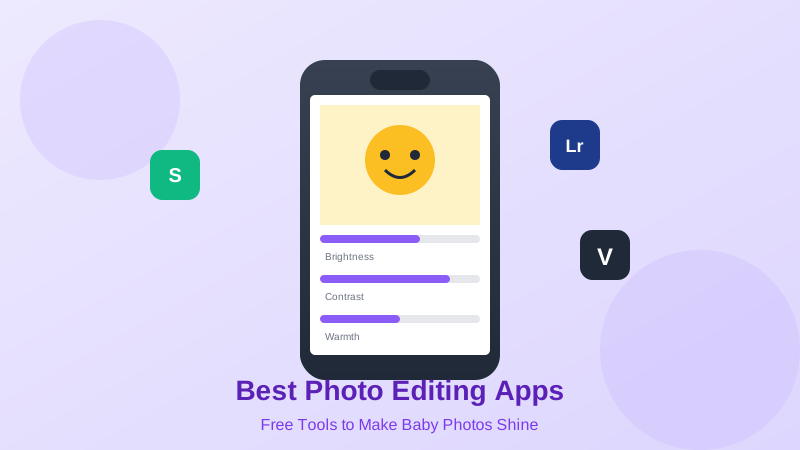
Illustration of mobile apps used to edit baby photos

Edit Baby Photos Like a Pro - Right on Your Phone!

Free apps and simple techniques for contest-worthy baby photos

Good editing enhances your photo. Over-editing ruins it. Learn the perfect balance with these pro techniques.

12 min readUpdated: 2026-08-09T03:22:52.565ZContests & Photography

1Best FREE Baby Photo Editing Apps

Top 5 Free Apps (Ranked):

1. Snapseed (Google) - BEST OVERALL

  • β€’Platforms: iOS & Android
  • β€’Cost: 100% FREE
  • β€’Why It's #1: Professional-level tools, easy to use, no watermarks
  • β€’Best For: Complete editing control
  • β€’Learning Curve: Moderate

Features:

  • β€’Selective editing (edit specific areas)
  • β€’Healing tool (remove objects)
  • β€’Curves & levels (pro control)
  • β€’Portrait enhancement
  • β€’No ads, completely free

2. Adobe Lightroom Mobile

  • β€’Platforms: iOS & Android
  • β€’Cost: FREE (premium $10/mo optional)
  • β€’Best For: Professional editing, presets
  • β€’Learning Curve: Moderate-Advanced

Features:

  • β€’RAW editing support
  • β€’Powerful adjustment tools
  • β€’Presets (save your editing style)
  • β€’Syncs with desktop
  • β€’Industry standard

3. VSCO

  • β€’Platforms: iOS & Android
  • β€’Cost: FREE (VSCO+ $30/year optional)
  • β€’Best For: Aesthetic filters, Instagram-ready
  • β€’Learning Curve: Easy

Features:

  • β€’Beautiful film-inspired filters
  • β€’Basic editing tools
  • β€’Recipe feature (save edits)
  • β€’Community/inspiration
  • β€’Trendy, modern aesthetic

4. iPhone Photos App (Built-in)

  • β€’Platform: iOS only
  • β€’Cost: FREE (comes with phone)
  • β€’Best For: Quick edits, convenience
  • β€’Learning Curve: Very Easy

Features:

  • β€’Auto-enhance (one-tap improvement)
  • β€’Basic adjustments
  • β€’Filters
  • β€’Crop & rotate
  • β€’Markup tools
  • β€’No app download needed

5. Google Photos

  • β€’Platforms: iOS & Android
  • β€’Cost: FREE
  • β€’Best For: Auto-enhance, smart suggestions
  • β€’Learning Curve: Very Easy

Features:

  • β€’One-tap auto-enhance
  • β€’Smart editing suggestions
  • β€’Basic adjustments
  • β€’Magic Eraser (Pixel phones)
  • β€’Cloud backup

2Snapseed: Step-by-Step Baby Photo Edit

The 5-Minute Professional Edit:

Step 1: Open & Select Photo

  • β€’Open Snapseed app
  • β€’Tap anywhere > Open
  • β€’Select baby photo
  • β€’Photo loads in editor

Step 2: Crop & Straighten

  • β€’Tools > Crop
  • β€’Choose aspect ratio (4:5 for Instagram, Original for contests)
  • β€’Straighten horizon if needed
  • β€’Apply rule of thirds
  • β€’Checkmark to save

Step 3: Basic Adjustments

  • β€’Tools > Tune Image
  • β€’Brightness: +5 to +15 (brighten baby's face)
  • β€’Contrast: +5 to +10 (adds depth)
  • β€’Saturation: +5 to +10 (subtle color boost)
  • β€’Ambiance: +10 to +20 (enhances details)
  • β€’Shadows: +15 to +30 (lift dark areas)
  • β€’Warmth: +5 to +15 (cozy feel)

Step 4: Portrait Enhancement (If Baby's Face)

  • β€’Tools > Face
  • β€’Auto-detects faces
  • β€’Skin: +5 to +10 (smooth subtle)
  • β€’Eyes: +10 to +20 (brighten eyes)
  • β€’DON'T overdo - keep natural!

Step 5: Selective Editing

  • β€’Tools > Selective
  • β€’Tap on baby's face
  • β€’Brighten just the face
  • β€’Tap elsewhere to darken background
  • β€’Creates depth

Step 6: Sharpen (Final Touch)

  • β€’Tools > Details
  • β€’Structure: +10 to +20
  • β€’Sharpening: +10 to +15
  • β€’Don't over-sharpen (looks harsh)

Step 7: Save & Export

  • β€’Export (top right)
  • β€’Save a copy (keeps original)
  • β€’Maximum quality
  • β€’Ready for contest!

Total Time: 5-7 minutes

Result: Professional-looking edit

3Baby Photo Editing Rules

The Golden Rules:

1. Natural Skin Tones are Non-Negotiable

  • β€’Baby's skin should look real
  • β€’Avoid orange/yellow tints
  • β€’No plastic-looking smoothing
  • β€’Realistic texture

2. Enhance, Don't Transform

  • β€’Make good photo better
  • β€’Can't fix bad photo with editing
  • β€’Subtle improvements only
  • β€’"Could this be real?" test

3. Eyes Should Sparkle

  • β€’Brighten eyes slightly
  • β€’Sharpen eyes
  • β€’Eyes are focal point
  • β€’But keep natural

4. Watch Your Whites

  • β€’Whites should be white (not gray)
  • β€’But not blown out (too bright)
  • β€’Affects overall brightness perception

5. Consistent Style

  • β€’Edit all contest photos similarly
  • β€’Develops your signature look
  • β€’Recognizable aesthetic
  • β€’Professional consistency

Common Editing Mistakes:

❌ Over-Saturation:

  • β€’Colors too vivid, fake-looking
  • β€’Orange skin tones
  • β€’Hurts your chances

❌ Too Much Smoothing:

  • β€’Plastic-looking skin
  • β€’Lost skin texture
  • β€’Unnatural appearance

❌ Extreme Filters:

  • β€’Heavy Instagram filters
  • β€’Black & white when color better
  • β€’Vintage effects overdone

❌ Over-Sharpening:

  • β€’Halos around edges
  • β€’Grainy appearance
  • β€’Harsh, unnatural

❌ Crooked Horizons:

  • β€’Not straightened
  • β€’Looks unprofessional
  • β€’Easy fix, always do it

βœ… What Good Editing Looks Like:

  • β€’Baby's skin looks realistic
  • β€’Colors are vibrant but natural
  • β€’Photo is bright and clear
  • β€’Background slightly darker than baby (draws eye)
  • β€’Overall professional appearance
  • β€’"Did you edit this?" response: "Just a little!"

4Quick Edit Formulas by Photo Type

Formula 1: Bright & Airy Indoor Shot

  • β€’Brightness: +15
  • β€’Shadows: +25
  • β€’Warmth: +10
  • β€’Saturation: +8
  • β€’Slight crop
  • β€’Time: 2 minutes
  • β€’Good for: Window light photos

Formula 2: Golden Hour Outdoor

  • β€’Warmth: +15 (enhance golden glow)
  • β€’Contrast: +10
  • β€’Shadows: +10
  • β€’Saturation: +10
  • β€’Sharpen: +15
  • β€’Time: 3 minutes
  • β€’Good for: Sunset/sunrise photos

Formula 3: Cloudy Day Enhancement

  • β€’Brightness: +10
  • β€’Contrast: +15 (adds punch)
  • β€’Saturation: +12
  • β€’Shadows: +20
  • β€’Warmth: +8
  • β€’Time: 3 minutes
  • β€’Good for: Overcast outdoor photos

Formula 4: Newborn Soft & Dreamy

  • β€’Brightness: +10
  • β€’Shadows: +30 (very soft)
  • β€’Warmth: +5
  • β€’Saturation: -5 (desaturated slightly)
  • β€’Slight blur/fade effect
  • β€’Time: 4 minutes
  • β€’Good for: Sleeping newborn photos

Formula 5: Bold & Vibrant Action Shot

  • β€’Contrast: +20
  • β€’Saturation: +15
  • β€’Sharpen: +20
  • β€’Brightness: +5
  • β€’Crop tight
  • β€’Time: 2 minutes
  • β€’Good for: Playing, active babies

Save Your Formulas:

  • β€’Most apps let you save presets
  • β€’Create your signature edit
  • β€’Apply to multiple photos
  • β€’Consistency across entries

5Before & After: What to Expect

Realistic Editing Expectations:

What Editing CAN Do:

  • β€’Brighten underexposed photos
  • β€’Enhance natural colors
  • β€’Remove minor blemishes (food on face, etc.)
  • β€’Straighten crooked shots
  • β€’Sharpen slightly blurry photos
  • β€’Add warmth or cool tones
  • β€’Crop for better composition
  • β€’Make good photo great

What Editing CANNOT Do:

  • β€’Fix out-of-focus photos (stay blurry)
  • β€’Change baby's expression
  • β€’Add light where none exists
  • β€’Fix motion blur completely
  • β€’Change photo angle
  • β€’Remove large objects easily
  • β€’Fix terrible composition
  • β€’Make bad photo good

Improvement Ranges:

Slightly Underexposed Photo:

  • β€’Before: Too dark, hard to see baby
  • β€’After: Bright, clear, baby pops
  • β€’Improvement: Dramatic

Good Photo, Dull Colors:

  • β€’Before: Flat, muted
  • β€’After: Vibrant, alive
  • β€’Improvement: Significant

Slightly Blurry:

  • β€’Before: Soft focus
  • β€’After: Crisper, sharper
  • β€’Improvement: Moderate

Out of Focus:

  • β€’Before: Blurry, soft
  • β€’After: Still blurry (can't fix)
  • β€’Improvement: Minimal

The Truth:

Start with a good photo. Editing enhances, it doesn't create magic.

About this guide

Written by the Baby of the Month team as general educational information for parents and caregivers.

If you’re worried about your child’s health or safety, follow guidance from qualified professionals.

Important Disclaimer

Photo editing tutorial for educational purposes. Apps and features may vary. Always maintain realistic, natural-looking edits for best contest results.

Content is for informational purposes only. Use at your own discretion.

Table of Contents

Reading Progress0%

Related Baby Care Guides

Continue learning with these helpful resources

Resource12 min

Baby Photo Contest: Complete Guide to Winning

Everything you need to know to enter and win baby photo contests

#baby photo contest#how to win
Read Guide
Resource15 min

Smartphone Baby Photography: Professional Results with Your Phone

Master baby photography using just your smartphone

#smartphone photography#phone camera
Read Guide
Resource12 min

Natural Light Baby Photography: Lighting Guide

Using natural light to take stunning baby photos indoors and outdoors

#natural light#photography lighting
Read Guide

Need Additional Support?

Remember to always consult your healthcare provider for personalized medical advice

Browse All ResourcesContact Support