AI-generated editorial illustration; not a contest entrant or winner.
Baby Photo Print Sizes: Keep the Little Hands in the Frame
The photo looks right on your phone, then the print preview cuts off a tiny hand. Here is how to choose a size and keep the part you love.
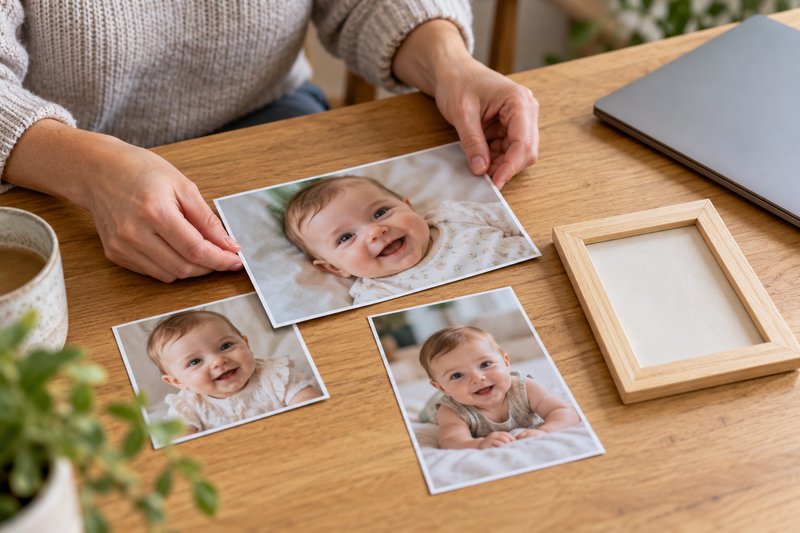
You have picked the photograph: a sleepy-looking grin, a hand wrapped around your finger, the expression nobody else managed to catch. Then you choose a frame and the preview chops off the hand. The picture is not necessarily too small. It may simply be a different shape from the print.
Before ordering baby photo prints, check three things: the shape of the original, the crop in the preview, and whether you are using the original file. That small check can save you from a frame full of almost-the-right photograph.
Print Size and Photo Shape Are Different Things
A print size describes the finished paper. An aspect ratio describes its shape. A 4-by-6-inch print has a 2:3 ratio; a 5-by-7 has a 5:7 ratio; an 8-by-10 has a 4:5 ratio. These are different rectangles, so enlarging a 4-by-6 composition to fill an 8-by-10 means losing some of its long edge.
Phone originals can have different shapes depending on your camera settings. Check the image details or try the print service's crop preview instead of assuming every phone photo fits every standard frame.
- 4 by 6: often useful for a small album or a few loose prints; check a 2:3 crop.
- 5 by 7: a familiar tabletop frame size; check a 5:7 crop.
- 8 by 10: more room to see the expression; check a 4:5 crop and inspect the file-quality warning.
- Square: useful when the story sits near the center; check that a 1:1 crop keeps both people and their hands.
Decide What the Picture Cannot Lose
Before moving the crop box, name the important detail. Perhaps it is the grandparent's hand, the baby's whole face, or the little foot resting against a sibling. Leave room around that detail, especially near the edges where a frame or mat may overlap the paper.
Move the crop deliberately rather than accepting an automatic centered crop. If two faces sit far apart, a wide print may work better than a square. If the moment depends on the whole scene, keep the whole scene. There is no rule that every portrait must fill the frame with a face.
Use Borders When Cropping Would Change the Story
Look for a preview option such as fitting the entire image, adding borders, or showing the full photo. Names vary by printer. A border can preserve the original composition instead of stretching the image or cutting someone out. Check that the frame and mat will accommodate it.
Do not stretch a photograph to force it into a rectangle. That changes faces and proportions. Choose a different print size, a border, or a different frame instead.
Start With the Original File
Use the photograph from your camera library or original backup when you can. A screenshot, social-media download, or copy sent through a messaging service may contain fewer pixels. Making that copy bigger does not restore missing detail.
Keep an untouched original and export a separate copy for the print. If the service warns that the file is too small, try the original or choose a smaller print. Our baby photo organization guide explains how to keep originals easy to find.
Check One Print Before Ordering Several
A bright screen can make a photograph look lighter than paper will. If a picture matters enough for several gifts, order one small proof first when time allows. Look at faces in ordinary daylight: do the colors feel familiar, are the eyes clear, and did the crop preserve the moment?
For a set, review each preview separately. One crop that works beautifully for a close portrait may cut the people out of a wider family picture. For an album, the baby photo-book guide can help you choose a few pictures that belong together.
Before You Place the Order
Confirm the size, orientation, quantity, crop, border, and delivery details. Keep the service's preview if you need to compare it with the finished print. If someone else took the picture, check that you have permission to print it. You can enjoy a photograph on your wall without posting it publicly.
For the next photo session, leave a little space around the people you are photographing. Our first-year photography guide covers simple ways to make pictures you can use in more than one shape.
Your Baby Could Be Our Next Winner!
Cash Prize in monthly prizes • FREE entry • Real winners • Optional paid votes